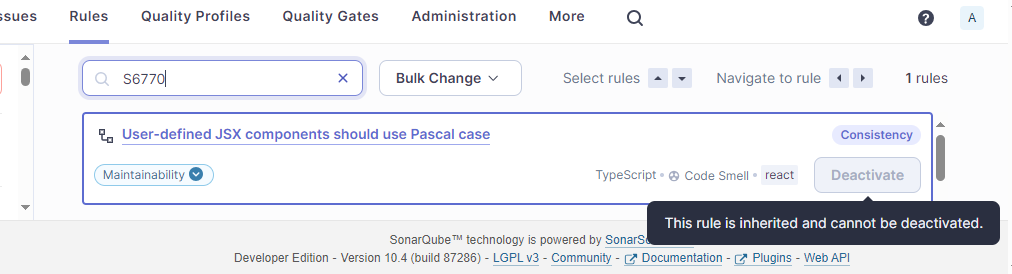
For some projects we want to disable one rule of the TypeScript SonarWay profile, especially the rule typescript:S6770. There are more than 500 times violations of this rule using an import from a npm package.
Searched for a way to disable this rule either by .editorconfig like for C# or the PrepareSonarqube task in Azure DevOps. The properties there create a sonar.properties file.
Derive separate rule set from SonarWay is only possible by copying, which is then hard on updates (changes in SonarWay are not integrated), inherited rule set can’t disable rules.
Multicriteria seems not recommended and also not required, as we have only one criteria - the rule
Unfortunately, this seems not to work. As you can see in the screenshot, we are using 10.4 and the deactivate button is disabled and we get a hint. I’m loged in as administrator and just created the new derived profile.
The permission to deactivate inherited rules in a child profile is managed at the level of the SonarQube instance. It is by default enabled. As a SonarQube Administrator, you can disable it in Administration > Configuration > General Settings > Quality Profile by unchecking the Enable deactivation of inherited rules option.
Thanks, it was disabled then. I don’t know who should have changed it as I’m mainly responsible for the administration. Was it maybe disabled by default in an earlier release?