SonarLint for VS 2017 caused unresponsiveness.

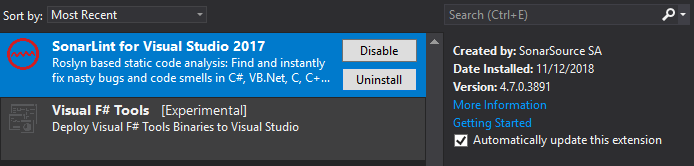
Hi @Pradeep1409Bora, this is a known problem that was fixed in the latest release of SonarLint for Visual Studio, version 4.8. Please, let us know if it persists after the upgrade.

Ok, so there could be another problem then. When does the yellow bar appear? When you open an empty Visual Studio or when you open a solution? Could you share what are you doing? What is the hardware of the machine you are using (CPU, RAM, etc.)? If you are opening a connected solution, does it have many suppressed issues (e.g. marked as won’t fix for example) in SonarQube?
VS 2017
It appears only when I open the Solution. SonarLint does not even work when there is no solution opened, It need a solution see the below screenshot.
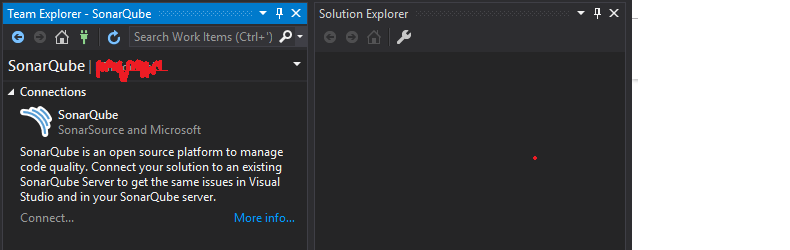
As soon as I open the solution I get this delay error.
Workstation Information :-
Model :- Dell Precision 7510
Processor :- Intel® Core™ i7- 6820HQ CPU @ 2.70GHz
RAM :- 16.0 GB
System Type :- 64 bit Operating System, x64- Based Processor
Hi @Pradeep1409Bora, thanks for your reply. I created a new ticket for this problem:
I cannot give ETA at this moment, but such problem is a showstopper for the adoption of SonarLint and will be treated with priority.
1 Like
Hello @Pradeep1409Bora, this ticket is quite old but I just wanted to let know that we’ve looked into the matter.
I could not reproduce this issue, and there aren’t enough details in the post for me to continue investigation.
If this issue still happens, please open us a ticket and include information such as:
- VS version
- SonarLint version
- Languages in your solution (C#, VB.NET, JavaScript, C++)
- Number of projects in your solution
- Which server are you using (SonarCloud / SonarQube)
- SonarQube version if you’re using SonarQube
- Number of suppressions you have in the server
- SonarLint logs from the output window
Thanks,
Rita