marcoIT
July 28, 2025, 2:48pm
1
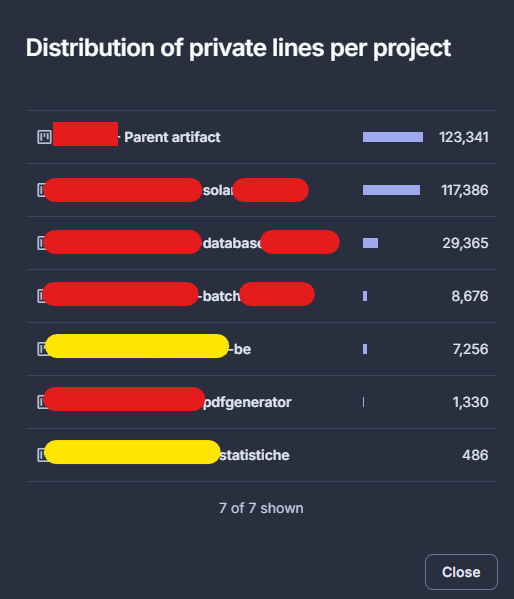
Looking at the “Billing and Upgrade” section, we see that there are that don’t exist:
Colin
July 29, 2025, 7:52am
2
Hey there.
I think you’re missing a word here. Can you share some more details, perhaps some screenshot as well?
marcoIT
July 29, 2025, 2:02pm
3
Hi, it’s not seems there is a missing word (may be, my english is not so good
And these are the not existing projects (in yellow):
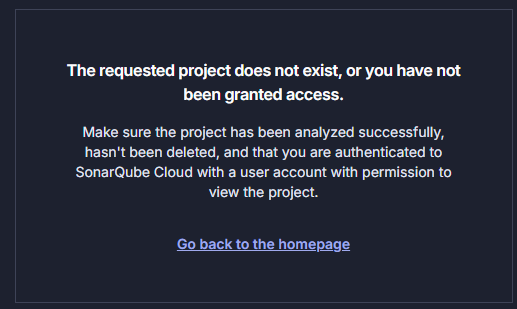
If I click on one of these I see the following page:
So I don’t know how to delete these projects.
marcoIT
July 29, 2025, 2:05pm
4
in addictions: in projects page
I only see 5 projects
Colin
July 30, 2025, 6:21pm
5
Hey there.
What’s most likely happened is that you’ve somehow lost access to these projects. If you’ve lost access to a project, you can restore that access using the API.
Hey there.
In SonarCloud, you must be granted project-level permissions to view a project, regardless of your organization-level permissions.
What you’re describing sounds like what happens when the permission template that gets applied to these new projects doesn’t grant the project creator permissions on the project, either through a group the project creator belongs to or the special Creators option in the permission template setup.
[image]
So, your first stop should be validating and fi…
From there, you can make a decision about what to do with the project.
 ).
).