Unable to see issues in SONARQUBE panels of the VS Code IDE

Please provide

  • Operating system: Windows 11 Enterprise
  • SonarQube for VS Code plugin version: 4.31.0
  • Programming language you’re coding in: C#
  • Is connected mode used: SonarQube Server – Enterprise Edition
    • SonarQube Cloud, SonarQube Server, or SonarQube Community Build? (if one of the latter two, which version?): 2025.3.1.109879

And a thorough description of the problem / question: I have configured the VS Code IDE with SonarQube for IDE. When I go to Project > Issues, select an issue, and click Open in IDE, the corresponding file and issue line open correctly. However, nothing appears in the SonarQube panel within VS Code, even though Automatic Analysis is enabled.

Hi,

Welcome to the community!

Could we have a screenshot of the issue in SonarQube?

 
Thx,
Ann

Hi Ann,

Please refer the screenshot below, I see only No SonarQube issues to display, but my code has many issues.

Regards,

Sharath

Hi Sharath,

Could we please have a screenshot of where you do see the issue?

 
Thx,
Ann

Hi Ann,

Please refer the screenshot below.

Regards,

Sharath

Hi Sharath,

Thanks for the screenshot. It confirms my suspicion that you’re not seeing the issue in SonarQube for IDE because it’s not raised by SonarQube:

Selection_169

This issue is coming from a Roslyn rule, and is being picked up automatically during CI-based analysis. If you’d like to suppress those issues, you can add /d:sonar.cs.roslyn.ignoreIssues=true to your begin step.

 
HTH,
Ann

Hi Ann,

I understand your point. I also worked on another project that did not have any external rules, and in that case, for this project, although I can see the SonarQube Rule Description window, the issues are still not appearing in the SonarQube panel.

Regards,

Sharath

Hi Sharath,

Please provide a full debug log, from IDE startup for this.

 
Thx,
Ann

Jstack.log (159.6 KB)

Hi Ann,

Please find the attached IDE log.

Regards,

Sharath

Hi Sharath,

Thanks for the log. I’ve flagged this for the team.

 
Ann

Hi there @SharathVenkata,

Thanks a lot for the report and additional details! I see you’ve shared your thread dumps. Would you be also able to share your verbose logs with us please?

Thanks in advance,
Sophio

Hi Sophio,

Could you please provide more details on how to collect verbose logs?, cause when I verified the steps provided from verbose logs, the steps appear to be similar to what I have provided earlier ‘Jstack.log‘.

Regards,

Sharath

Hello!

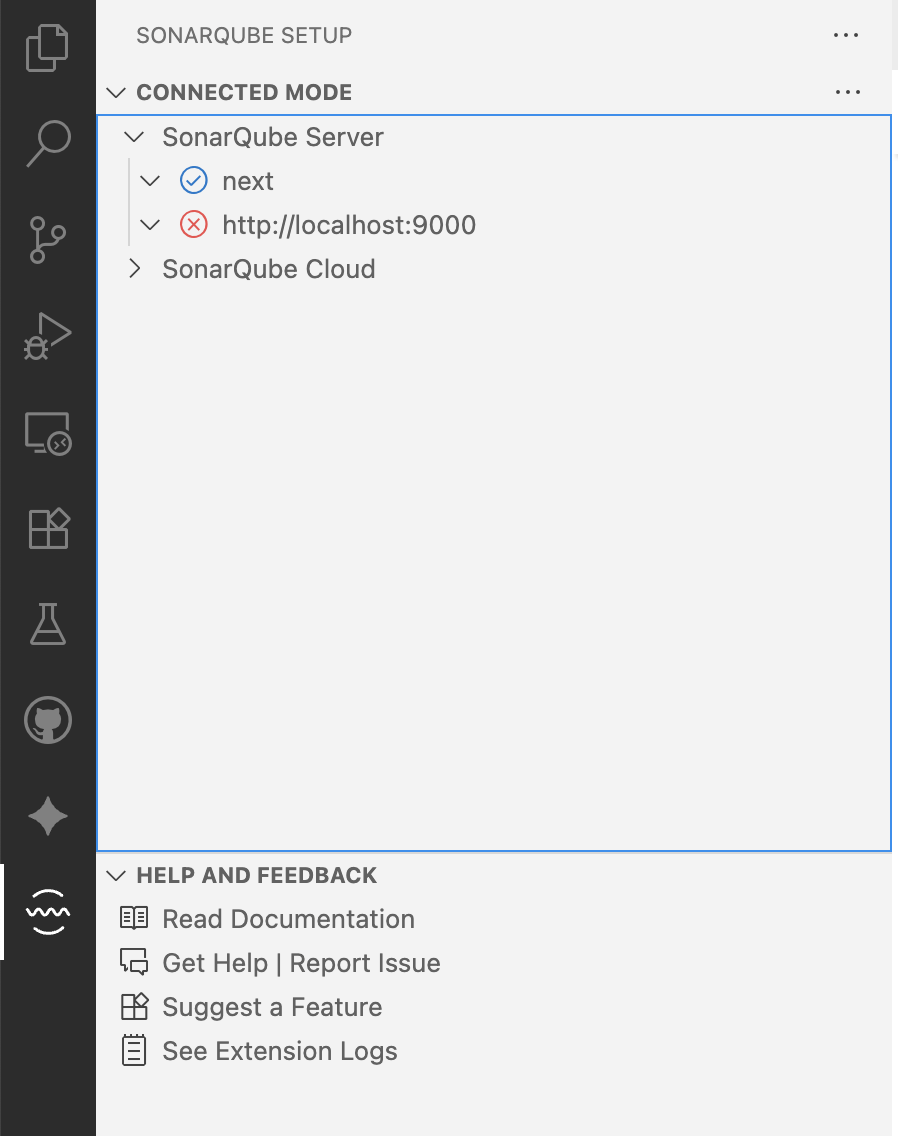
You can simply click See Extension Logs item in the Help and Feedback view, and share the displayed logs with us.

Hope this helps,
Sophio :woman_bowing:

SonarQube for IDE.log (189.8 KB)

Hi Sophio,

I appreciate your guidance in retrieving the logs. Attached are the requested extension logs for your review.

Regards,

Sharath

Thanks, @SharathVenkata !

I see a bunch of connection errors in the logs, is it expected? You can check the status of the connections via Connected Mode view.