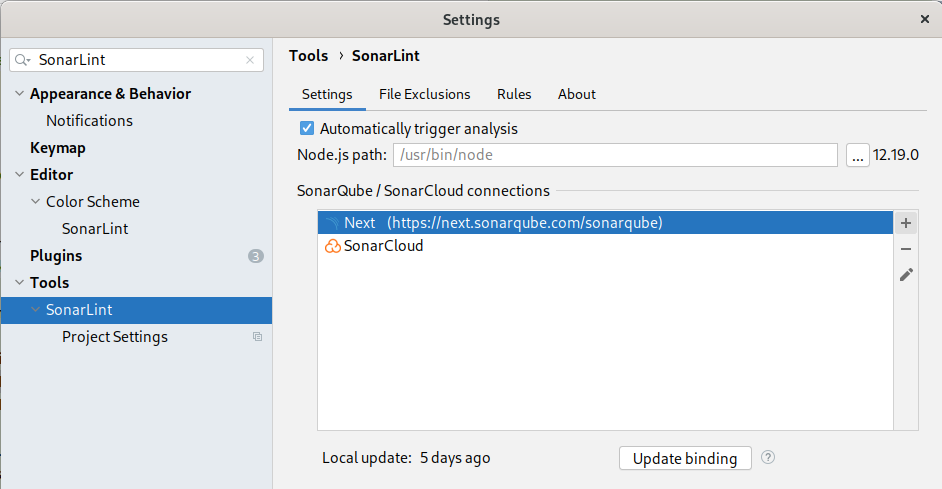
environments information
- macOS Big Sur (11.6.1)
- IDE: IntelliJ (2020.03, 2022.01)
- sonarlint plugin version: 6.7.0.45926
- sonarqube version: 9.5.0.56709
- JDK version: openjdk 11.0.2 2019-01-15
Hi,
I’m facing following issue when I try to use sonalint connecting sonarqube with IntelliJ IDE.
because of this, ‘Analysis with Sonalint’ is not working.
Sonalint - Invalid binding
Project bound to an invalid remote project
Please check the SonarLint project configuration
So when I try to modify configuration and click ‘Update binding button’
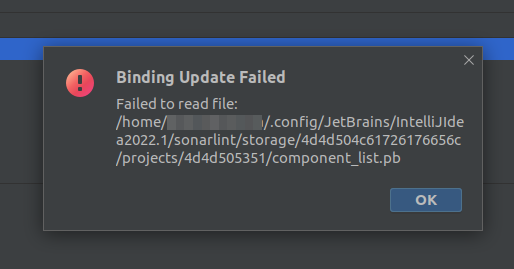
error pops up with message below.
Binding Update Failed

Failed to read file: /Users/{myid}/Library/Application Support/JetBrains/IdeaIC2022.1/sonarlint/storage/736f6e61727465737432/projects/736f6e61727465737432/component_list.pb
I look directory /Users/{myid}/Library/Application Support/JetBrains/IdeaIC2022.1/sonarlint/storage/736f6e61727465737432/projects/736f6e61727465737432/
but there is not ‘component_list.pb’ file.
only two files are exist - analyzer_config.pb project_branches.pb
What’s component_list.pb ? How can I get that file? or is that something like version conflict?
Please help. thanks.