- Operating system: Windows 11
- SonarQube for VS Code plugin version: 4.29.0
- Programming language you’re coding in: Java
- Is connected mode used: yes
- SonarQube Community Build: Community Edition Version 9.9.3
And a thorough description of the problem / question:
Hello,
first sorry for my English, and thanks in advance for the support.
I have the following error when creating the connection to the server:
Pasting the URL into a browser gives me this output:
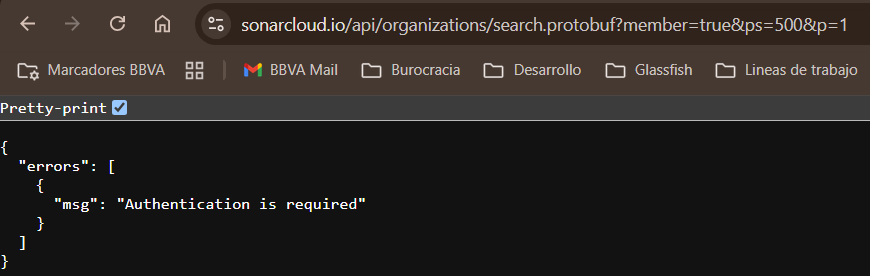
I’ve used the URL provided by my organization and generated a token.
I’ve tested the IntelliJ IDEA plugin and is working fine.
I’am doing something wrong?
Thanks.
Problem seems to be solved using the following JSON configuration:
"sonarlint.ls.vmargs": "-Dhttps.proxyHost=proxyHost -Dhttps.proxyPort=proxyPort -Dhttps.proxyUser=proxyUser -Dhttps.proxyPassword=proxyPass",
"sonarlint.connectedMode.connections.sonarqube": [
{
"serverUrl": "https://serverURL",
"connectionId": "AConnectionID"
}
]
system
(system)
Closed
4
This topic was automatically closed 7 days after the last reply. New replies are no longer allowed.
kevin.hinz
(Kevin Hinz)
5
Thanks for posting this solution, @emilio!
After confirming with our Engineers and how it works with the other IDEs, I will find a place to put it in our docs 