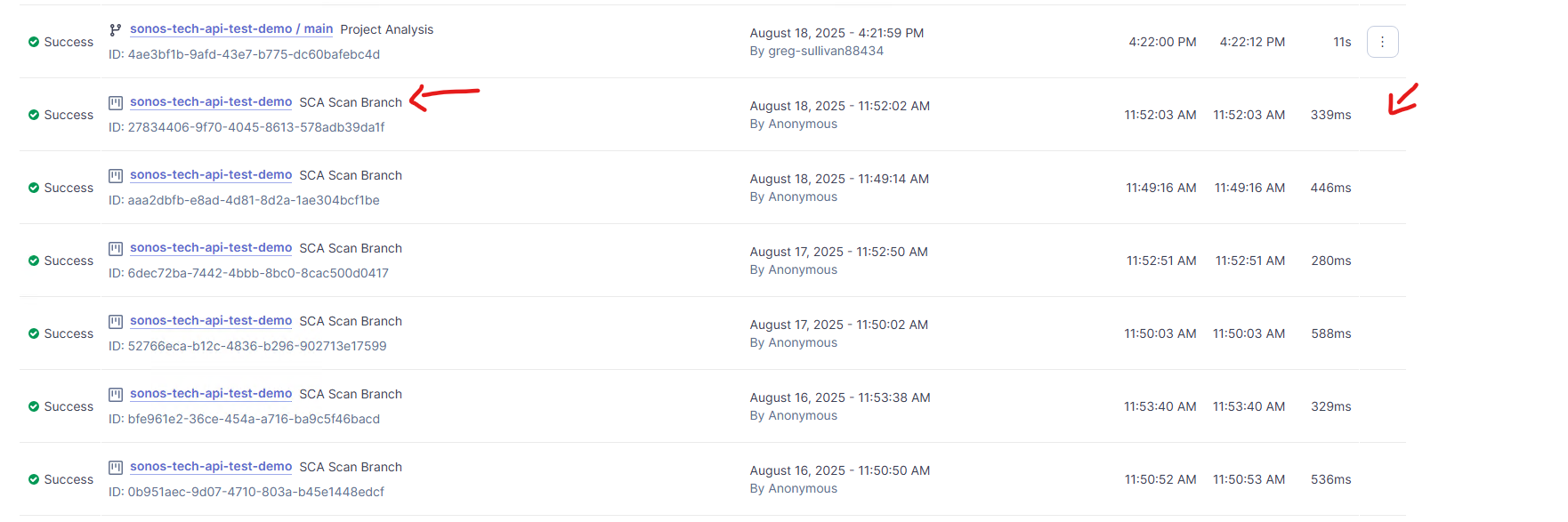
After upgrading our SonarQube instance to 2025.4.2, we’re seeing repeated SCA (Software Composition Analysis) tasks and 403 errors in the server logs—even though we do not have Advanced Security licenses and are not trying to use SCA.
Observed logs:
2025.08.18 14:52:03  Execute task | project=test-demo | type=SCA_RESCAN_BRANCH | id=27834406-xxxx-4045-8613
2025.08.18 14:52:03 INFO  \[com.sonar.sca.$.x.x\] Start: rescan sca branch
2025.08.18 14:52:03 ERROR \[com.sonar.sca.W.w\] Error 403 (not retriable). Check that the SonarQube instance can reach ‘https://api.sonarcloud.io/sca/dependency-service/v1/current-release-details’.
Response 403 message ‘’ body ‘{“message”:“Not authorized”}’
com.sonar.sca.W.w$\_$: Error from dependency analysis service: SCA is not allowed for this server. (In some cases, this could mean that ‘https://api.sonarcloud.io/’ was not reachable from the SonarQube instance or was intercepted by a proxy.)
SonarQube version: 2025.4.2 (freshly upgraded)
Edition: Server Enterprise
What’s happening
-
Background tasks are created with
type=SCA_RESCAN_BRANCHon projects that aren’t opting into SCA. -
Each run attempts to reach
api.sonarcloud.ioand fails with 403 “Not authorized.” -
This repeats and clutters logs; we want to avoid unnecessary outbound requests and noise.