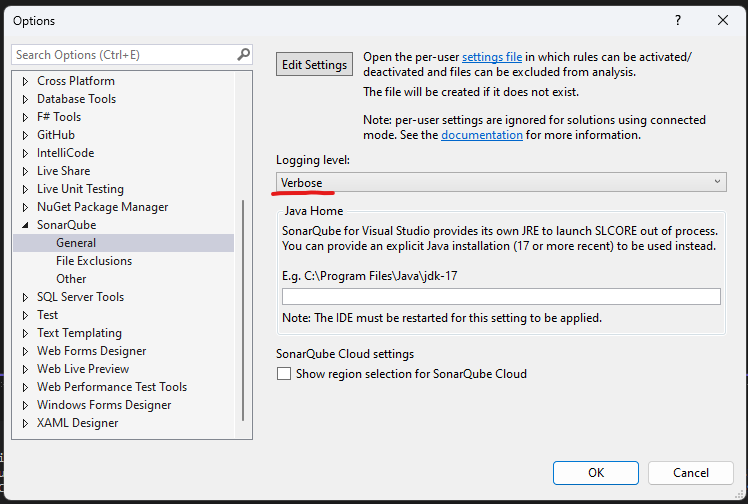
@cchevez unfortunately, the logs you provided do not contain any trace of the connection error. Could you please provide verbose logs using this how-to Troubleshooting | Sonar Documentation ?
Hi, that’s how the logging level is set. But it seems there is no more information related with the issue, I’m attaching a log generated today, however, I think it will be pretty much as the previous one.
Yes, [DEBUG] [ThreadId 37] [SLCore] [sonarlint > SonarLint Server RPC request executor] Downloaded server infos in 33ms
the previous line is the last one generated during the process, there are no more info after that, but the wizard displays the error shown in the first image.
May the issue be related with the firewall or something else? If that’s the case, what should I review with the IT team?? A specific port or something else?
It could be due to firewall, yes, but the weird part is that there are no errors in the logs. I will try to add some additional logging next week and provide a custom build for you.